 Signatures Pane
Click Signatures to open the Signatures pane:
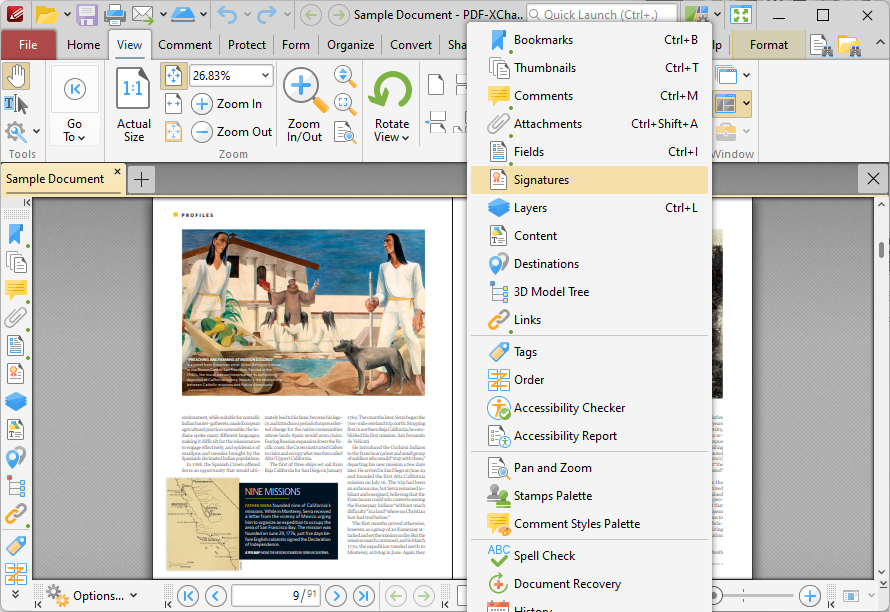
Figure 1. View Tab, Panes Dropdown Menu, Signatures
The Signatures pane displays information about digital signatures in the current document:
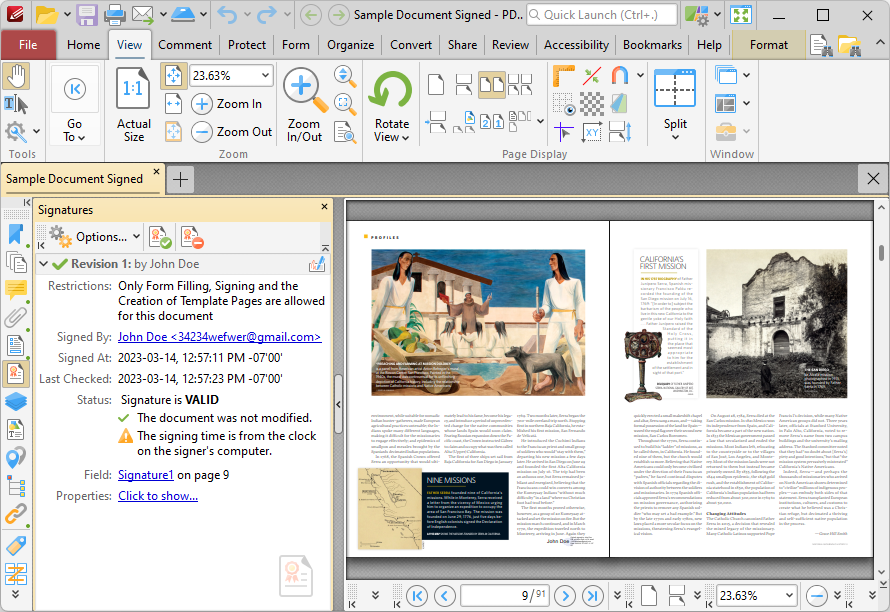
Figure 2. Signatures Pane
Digital signatures are used to demonstrate the authenticity of documents and increase their security. They can also be used to determine editing permissions for documents and/or utilize timestamp servers in order to further increase document security. The Signatures pane displays details about digital signatures in the current document, such as the restrictions that the signature imposes, the name of the person who added the digital signature, the time at which the document was signed and whether or not the signature conforms to the EU 910/2014 standard. Information and instructions about adding/editing digital signatures is available here. Use the icons in the Signatures pane to perform the following operations:
Click  to validate all document signatures.
Click  to clear all digital signature fields in the document.
Click  for signature options:
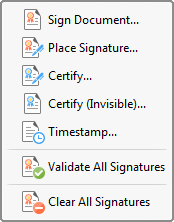
Figure 3. Signatures Options Submenu
These options are detailed here.