 PDF-XChange Editor Plus V11 User Manual
PDF-XChange Editor is a dynamic application that is used to create, view, edit, annotate and convert PDF documents:
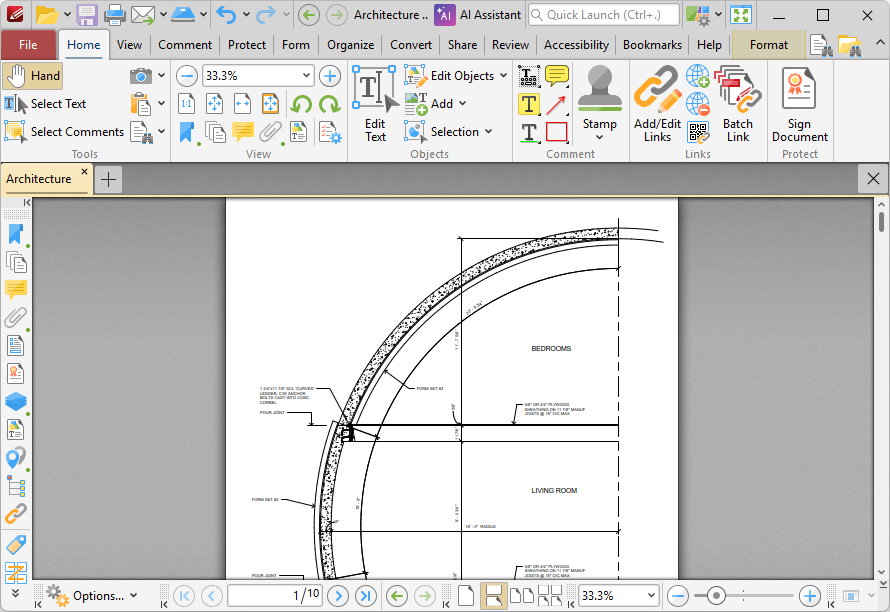
Figure 1. PDF-XChange Editor User Interface
This manual is composed of the following sections on how to best use the software:
•Introduction provides a basic introduction to the software.
•Features Overview lists the main features available in PDF-XChange Editor.
•Workspace details the user interface and how to customize its options.
•Creating PDFs shows the various ways in which you can create documents with PDF-XChange Editor.
•Editing PDFs details the editing features of the software
•Combining Files and PDF Portfolios shows how to combine files in the software, and details the purpose, creation and usage of portfolio files.
•Comments and Commenting explains what comments/annotations in PDFs are, and how they can be used.
•Creating and Editing Fillable Forms details how to create dynamic fillable forms in PDF-XChange Editor.
•Saving and Exporting PDFs shows how to save PDF documents, and how to convert them to other file formats.
•Security and Electronic Signatures details security options in PDF-XChange Editor, and how to create and add electronic signatures.
•Printing Documents explains the printing features available in the software.
•Appendix details additional information that relates to the software.