 Exporting Comments from File
Click Export to export comments from the active document to (*.fdf) or (*.xfdf) file format:
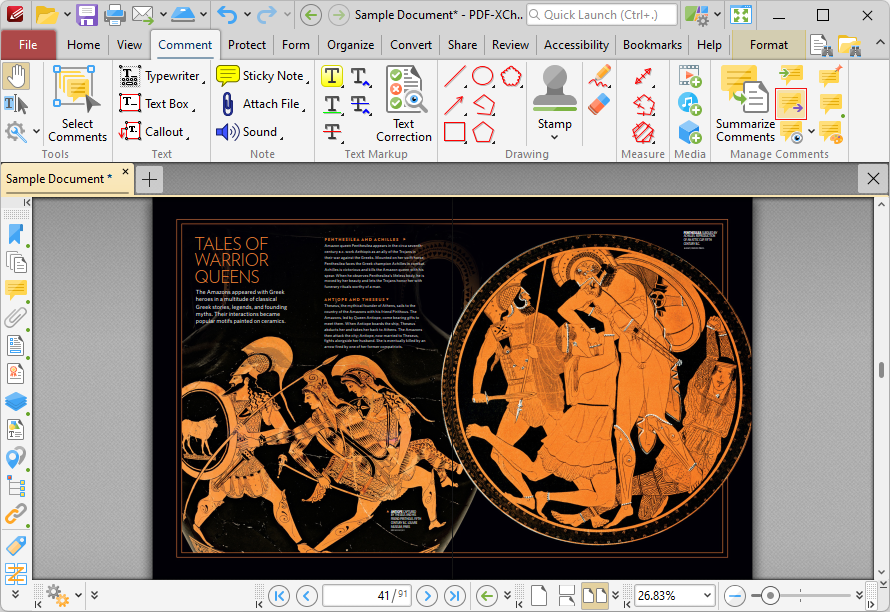
Figure 1. Comment Tab, Export
The Save File dialog box will open. Enter the desired file name and location, then click Save to export and save the document comments.