 Using a Transform on the MSI
Defining Features to Deploy
When applying a transform to the MSI, the features to be deployed are defined by setting their "Level" in the MSI Feature table. A Level of "1" instructs msiexec.exe to install the feature, while a Level of "0" means "do not install":
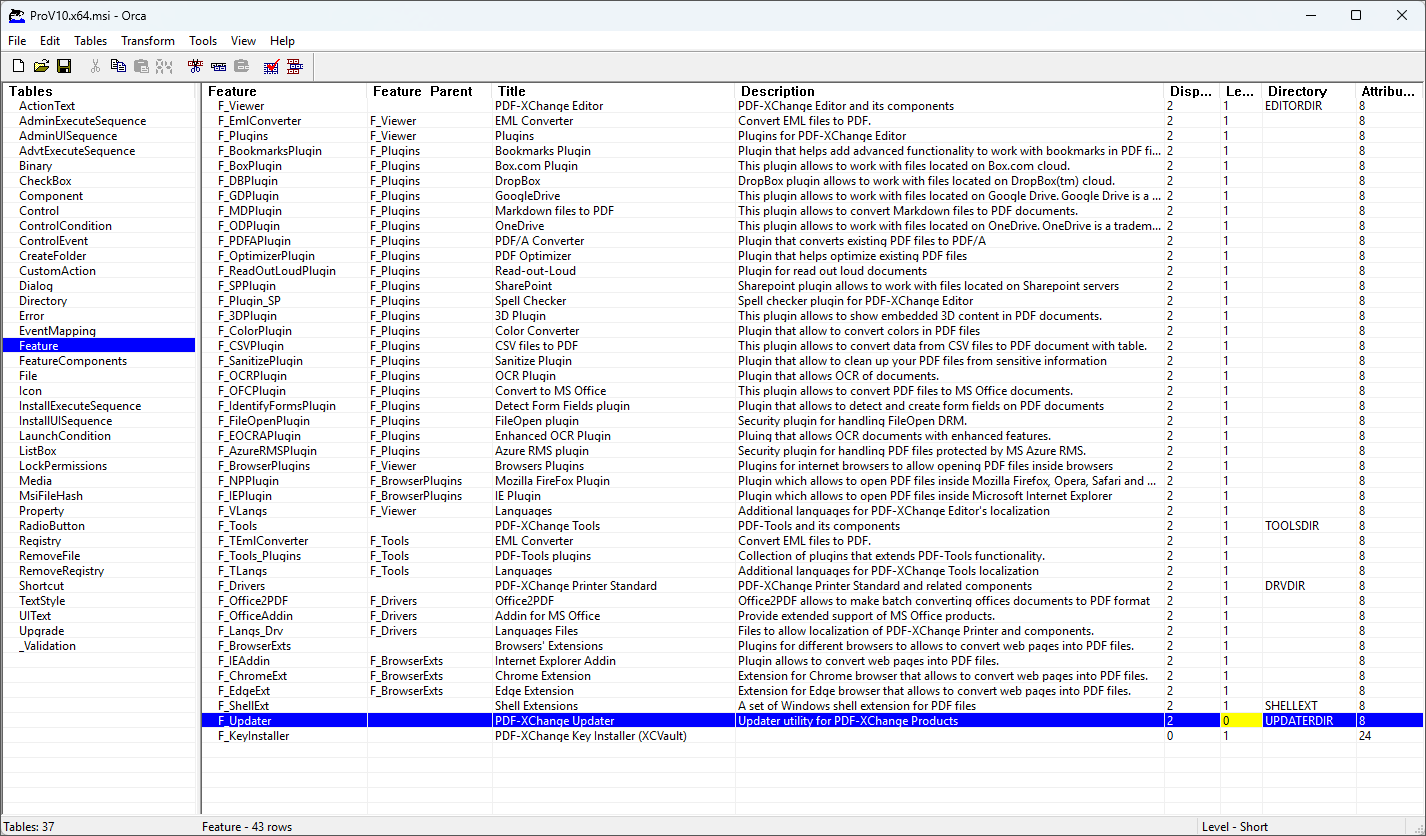
PDF-XChange Pro MSI Property table showing the Updater flagged to not be installed.
Licensing with a Transform
The MSI does not include a property for accepting a license key by default, which means it's necessary to create a new row in the property table to pass a license key to the MSI via your transform (MST) file. You can use either KEYDATA or KEYFILE for that purpose.
KEYDATA accepts the full license key string as its value. Be careful to ensure the key is passed without any extraneous line feed or carriage return characters, which may be added when the key is displayed in a formatted layout. Copying and pasting a formatted key into Orca, Intune, or other Microsoft deployment tools will usually fail silently because the key becomes truncated by these formatting characters. You can use the icon in your account to “Copy serial to clipboard” in order to avoid this issue:
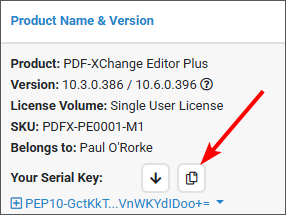
Copy Serial to Clipboard Icon
You can then paste the full key into your deployment tool without truncating the key.
Then next step is to go into Orca and create a new row in the property table:
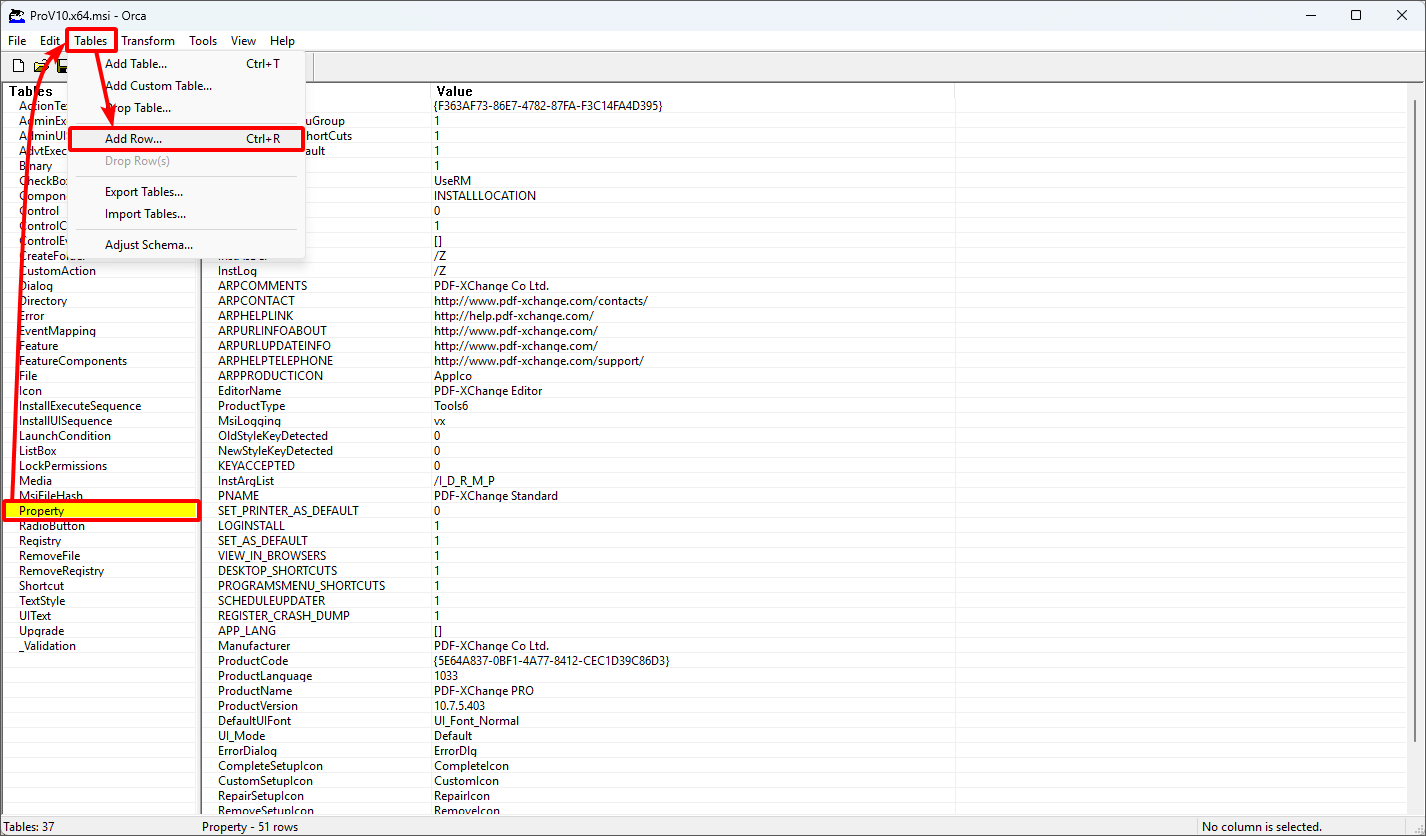
Orca Interface, Tables Dropdown Menu, Add Row
Call it KEYDATA:
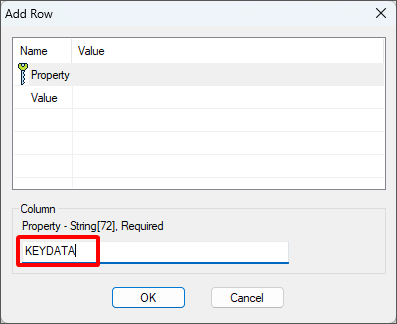
Orca, Add Row Dialog Box
Paste the key as the value:
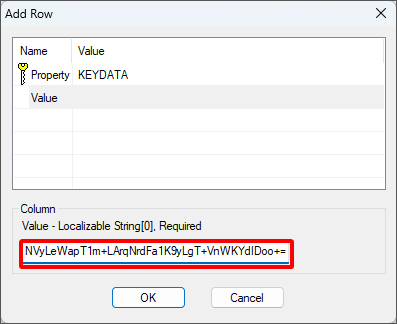
Orca, License Key String Added
This will result in the full, non-truncated key string being used as the value for the KEYDATA row in the property table:
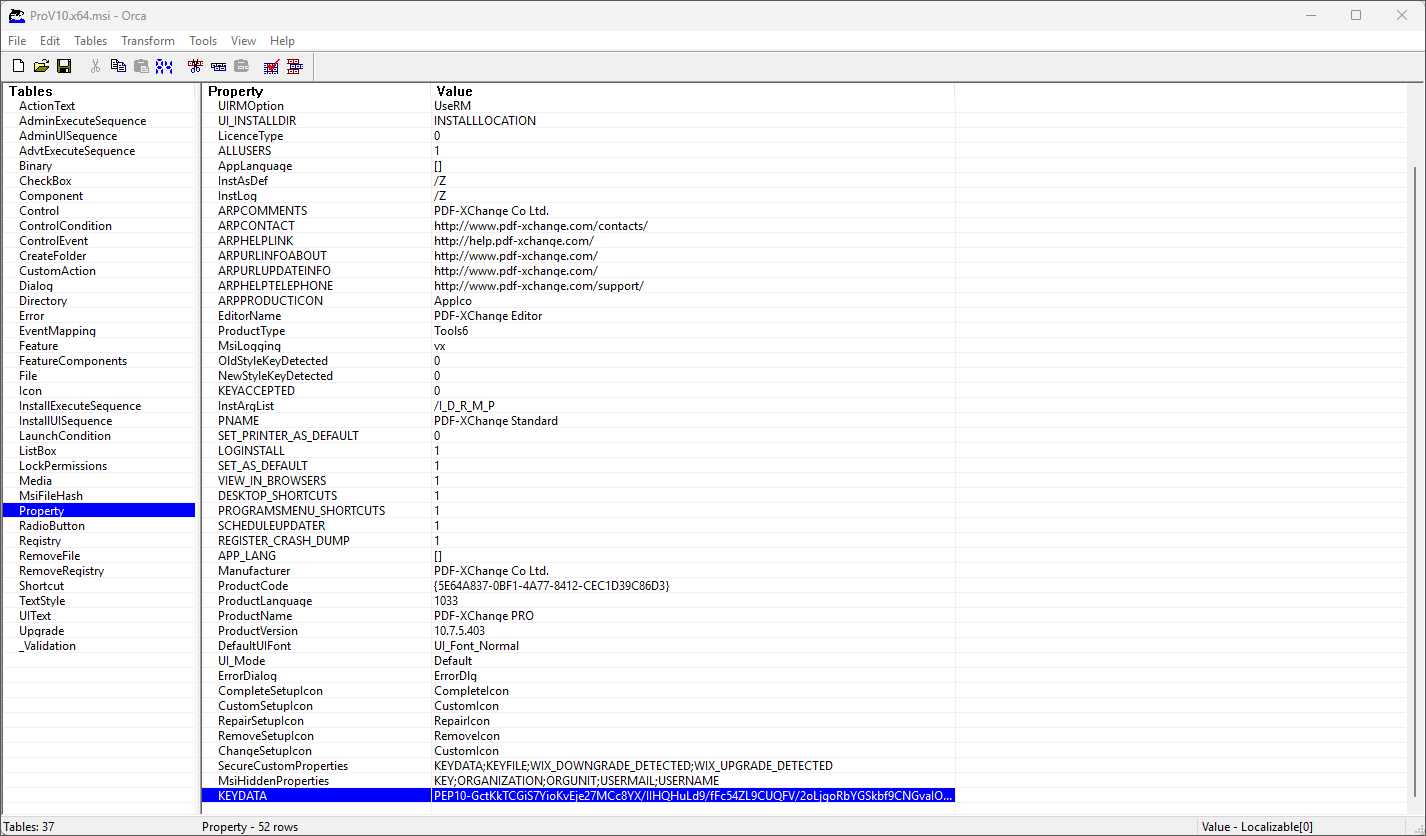
Orca Interface, License Key String Added to the KEYDATA Row of Property Table
Note that either KEYDATA or KEYFILE can be used in this manner. KEYDATA is generally more robust because it is self-contained and does not depend on the presence of a license key file. It works as long as the full, non-truncated key is included in the transform.
KEYFILE, on the other hand, requires the target machine to have access to the XCVault license file, either via a network share or local copy. If msiexec.exe cannot read the key file, then licensing will fail silently.