 Updating
PDF-XChange Editor utilizes the PDF-XChange Updater to check for and download updates. The default behaviour is to allow users to check for and install updates (as long as the security permissions allow them to do so).
PDF-XChange recommends the use of the PDF-XChange Updater Group Policy from the synonymous administrative template for the purposes of managing the update process. This will prevent users from upgrading separately, which would result in a mixture of versions across your enterprise.
Please note that the registry keys changed in V11, as detailed here. You should replace "Tracker Software" with "PDF-XChange" for V11 and later.
The PDF-XChange Updater installs by default when PDF-XChange Editor is installed and creates a task in the Windows task scheduler called TrackerUpdate.exe (V10 and earlier) and PXCUpdater.exe (V11 and later) . This task launches the command :
V11 and later:
"C:\Program Files\Tracker Software\Updater\PXCUpdater.exe" -CheckUpdate
V10 and earlier:
"C:\Program Files\Tracker Software\Update\TrackerUpdate.exe" -CheckUpdate
will check for updates once every 14 days.
The Windows Task Scheduler can be used to adjust the settings of the PDF-XChange Updater. If you want to adjust the settings of the updater, then open the Windows Task Scheduler, click the TrackerAutoUpdate task and adjust settings as desired:
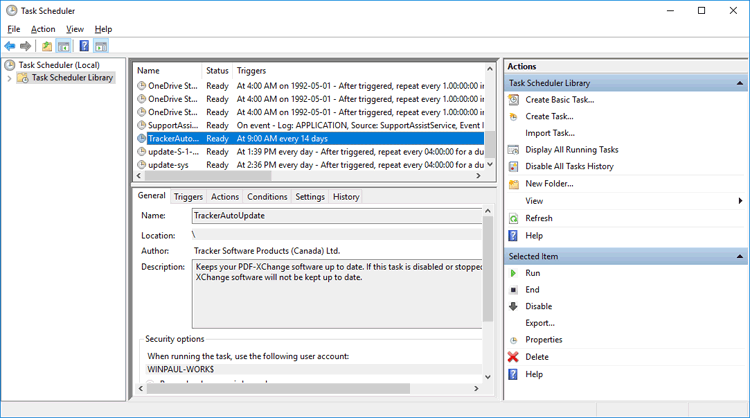
Figure 1. Task Scheduler, TrackerAutoUpdate Options