 Generating Bookmarks from a Text File
Click the Bookmarks tab, then click Generate Bookmarks from Text File to create bookmarks from a text file:
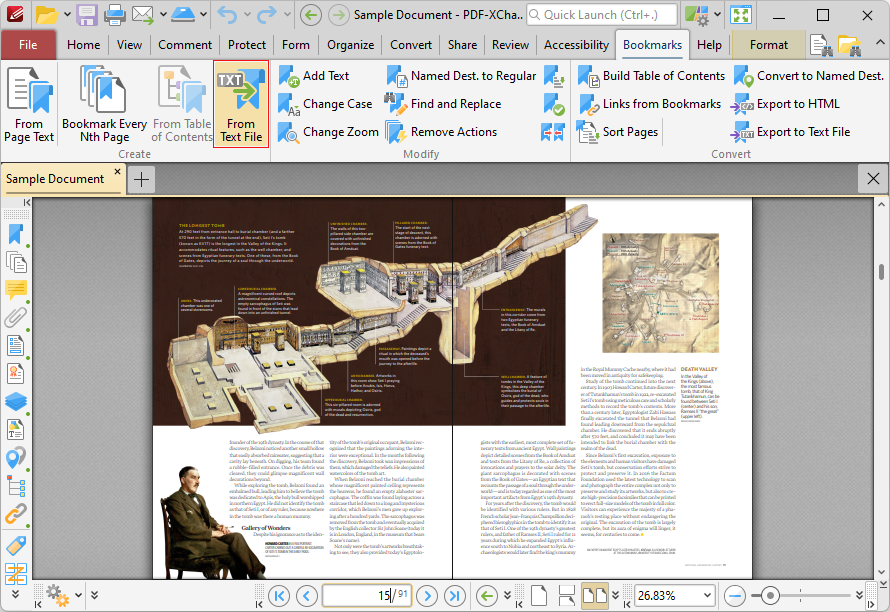
Figure 1. Bookmarks Tab, Generate Bookmarks from Text File Highlighted
The Generate Bookmarks From Text File dialog box will open:
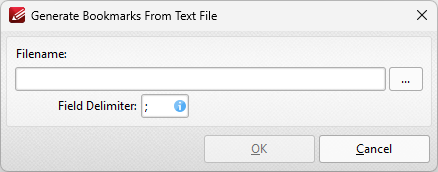
Figure 2. Generate Bookmarks From Text File Dialog Box
•Enter the name of the source text file in the File Name text box. Alternatively, click the ellipsis icon to select a file from the local computer. (Please note that the file used must be plain text (*.txt) format).
•Use the Field delimiter box to determine the field delimiter as required. PDF-XChange Editor will use the delimiter to define bookmarks in the source file.
Click OK to generate bookmarks.
Please note that the format of source files for this feature must be the same as that of files created using the Export Bookmarks to Text File feature.