 Converting Documents to/from MS Office Formats to/from PDF
If you want to convert documents from PDF to MS Office formats, then open the document in PDF-XChange Editor and click the Convert tab. The conversion to MS Office format options are detailed there:
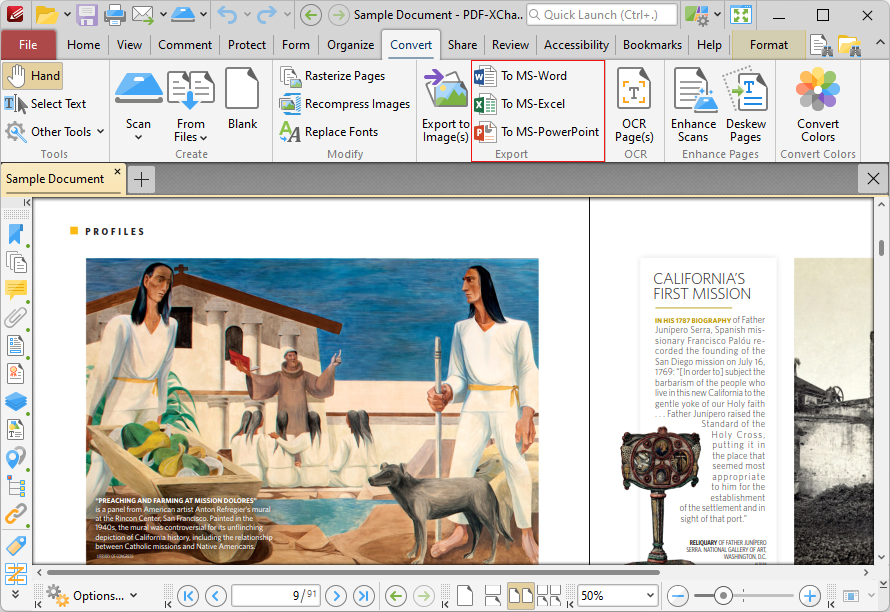
Figure 1. PDF-XChange Editor, Convert Tab
Click To MS-Word, To MS-Excel or To MS Powerpoint as desired. The Save File dialog box will open. Enter a file name for the new document and click Save. The PDF document will then be converted to the desired format.
If you want to convert documents from MS Office formats to PDF, then simply open the document in PDF-XChange Editor and they will convert automatically to PDF.
Please note that MS Office must be installed on the local computer for these features to operate, and Save As XPS functionality must be available in the version of MS Office being used. This functionality was added in MS Office 2007.