 Converting Web Pages to PDF
If you purchased PDF-XChange Editor as part of the PDF-XChange PRO bundle, or you have a license for the PDF-XChange Standard virtual printer, and you want to convert web pages to PDF, simply right-click the webpage and then click Convert to PDF:
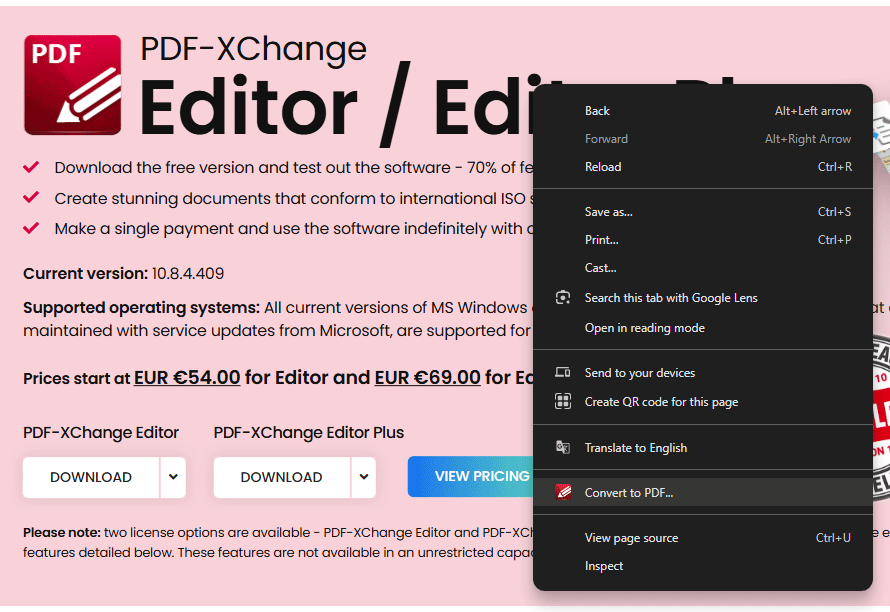
Figure 1. Right-Click Shortcut Menu, Convert to PDF Higlighted
The Save As dialog box will open, and an automatic name will be added for the file. Click Save to convert the web page to PDF.