 Web Link to Open
The Web Link to Open macro inserts the URI link of bookmarks. These links are used to specify an internet address that opens when bookmarks are clicked. You can view/edit these links in the bookmark's properties, as detailed here.
The syntax for this macro is %[URI]
Example
Follow the steps below to use the Web Link to Open macro to insert the URI link of bookmarks when adding text to bookmark titles:
1. Open a document that contains bookmarks with URI links in PDF-XChange Editor. For example, the bookmark detailed below contains a URI link to the PDF-XChange website:
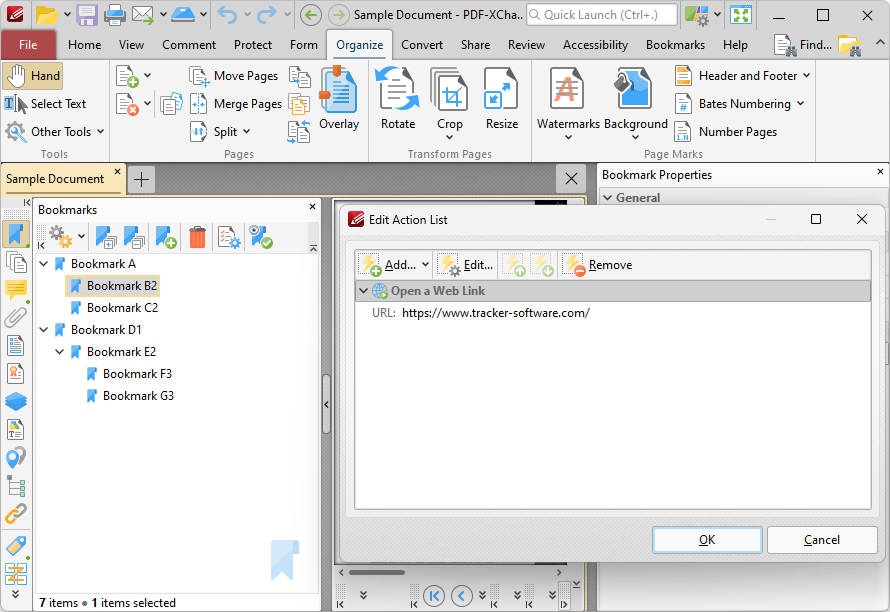
Figure 1. Edit Action List Dialog Box, Open a Web Link Action for Bookmark A Highlighted
2. Click the Bookmarks tab, then click Add Text to Bookmark Titles. The Add Text to Bookmark Titles dialog box will open.
3. Enter %[URI] in the Add Suffix text box:
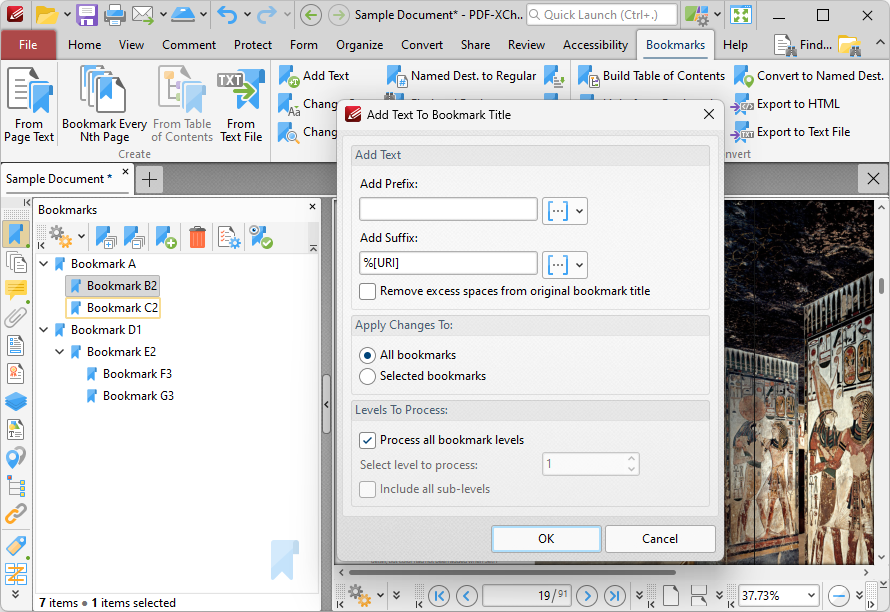
Figure 2. %[URI] Macro Example
4. Click OK. The URI link in the bookmark will then be added as a suffix to the bookmark title:
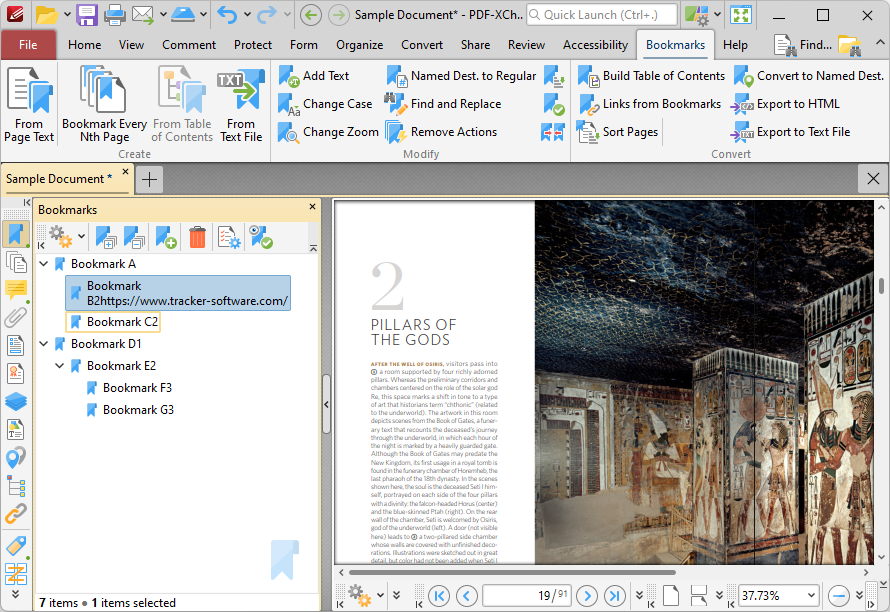
Figure 3. %[SeqNum] Macro Example Output