 Validating Digital Signatures
Click the Protect tab, then click Validate All Signatures to validate document signatures:
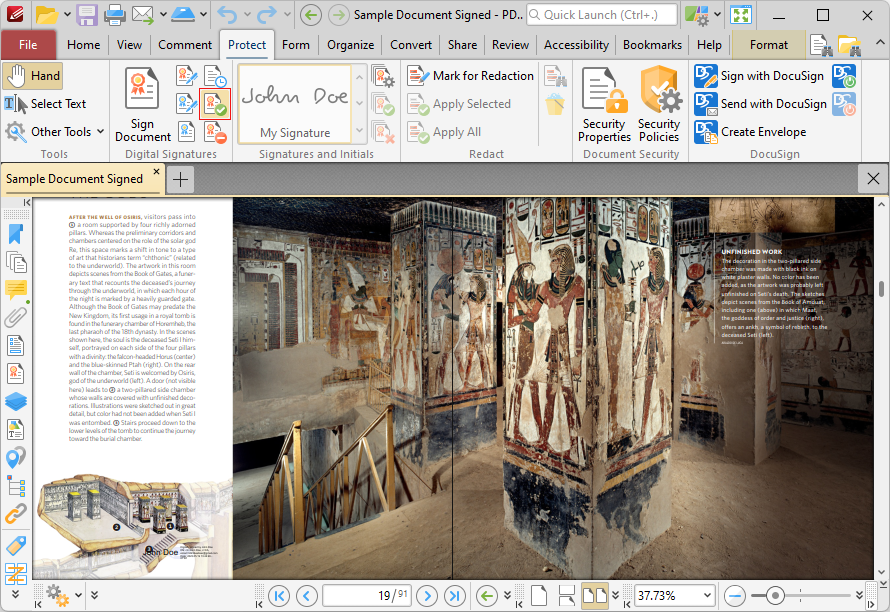
Figure 1. Protect Tab, Validate All Signatures
Signature validity is detailed in the Signatures pane, which you can access via the the Panes dropdown menu in the View tab:
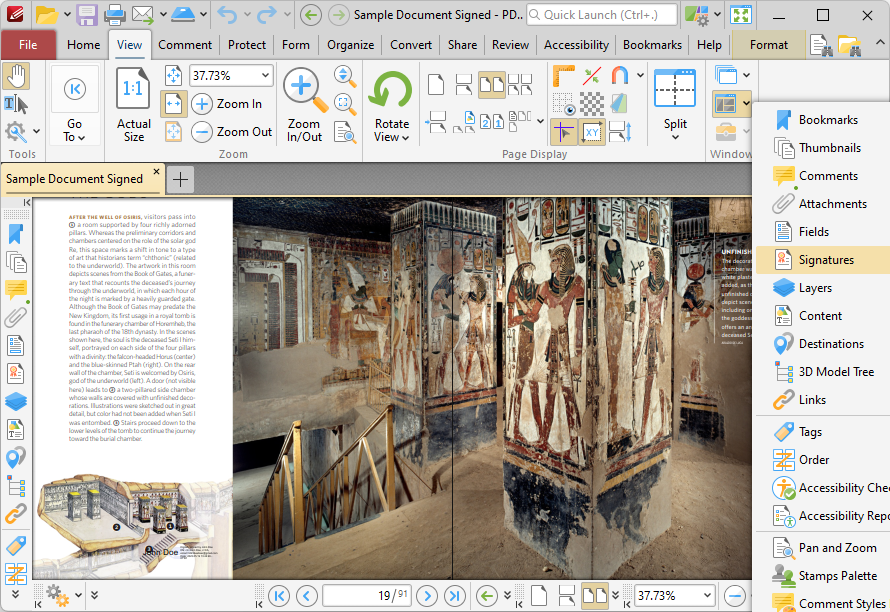
Figure 2. View Tab, Panes Dropdown Menu, Signatures Pane Selected
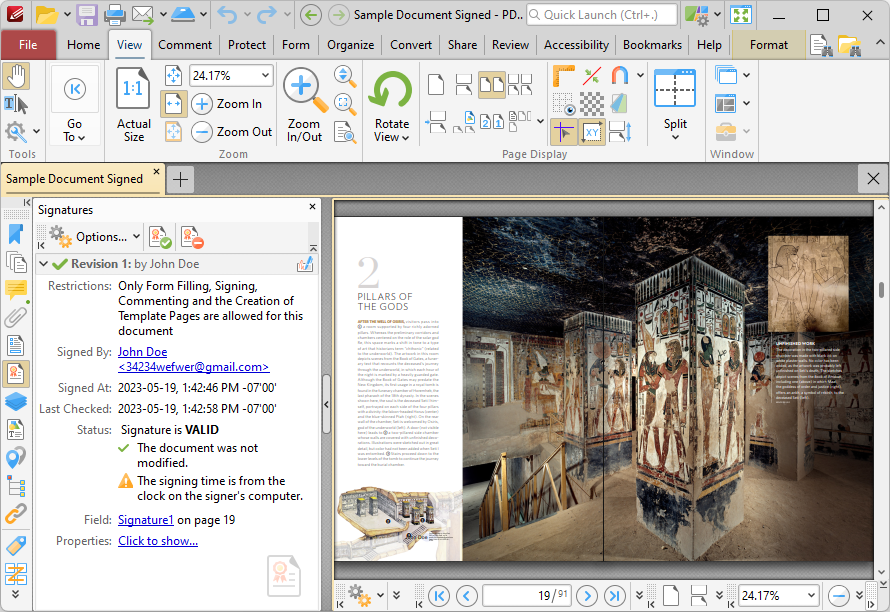
Figure 3. Signatures Pane Open
When you click Validate All Signatures, any changes made to the document since it was signed will be detailed in the Signatures pane.