
Preferences

<< Click to Display Table of Contents >>

Navigation:  Appendix >

Preferences


welcome.icon.pdftools Preferences


Click Preferences in the Options tab to launch the Preferences dialog box:
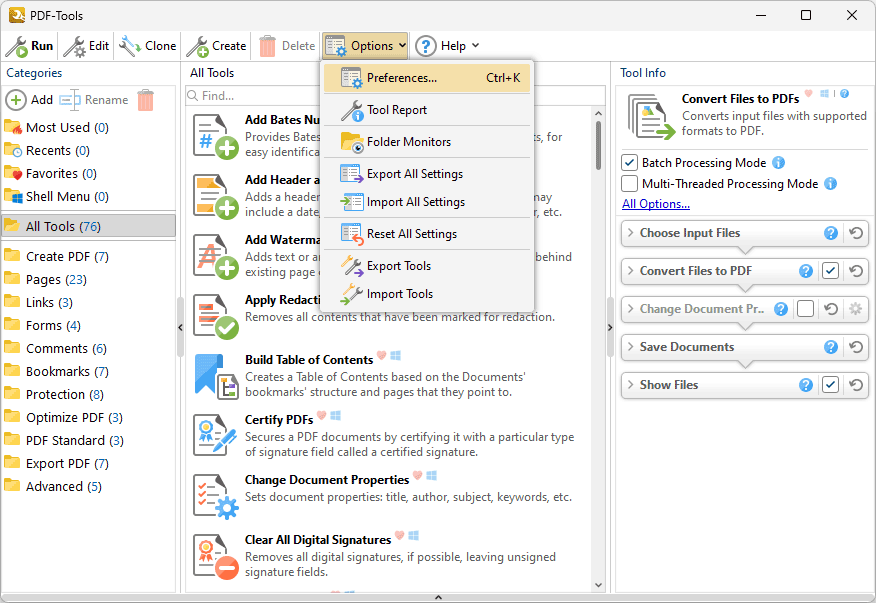
 

preferences.submenu

Figure 1. PDF-Tools Main Window, Options Tab, Preferences Highlighted


The Preferences dialog box will open:
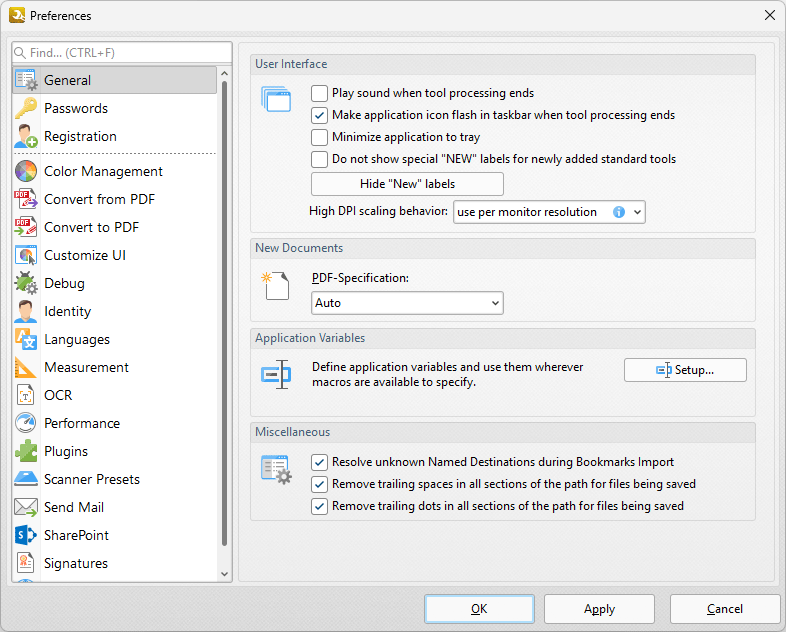
 

preferences.dialog.box

Figure 2. Preferences Dialog Box


These options are used to customize general settings in PDF-Tools. Click categories for further information:


•General

•Passwords

•Registration

•Color Management

•Convert from PDF

•Convert to PDF

•Customize UI

•Debug

•Identity

•Languages

•Measurement

•OCR

•Performance

•Plugins

•Scanner Presets

•Send Mail

•SharePoint

•Shell Menu

•Signatures

•Update