 Changing the Tab Order of Forms
When you create fillable forms, it may be useful to change the order in which the Tab key will move through form fields for subsequent users of the form. Follow the steps below to change the tab order of forms:
1. Click the View tab, then click the Panes dropdown menu.
2. Click Fields. The Fields pane will open:
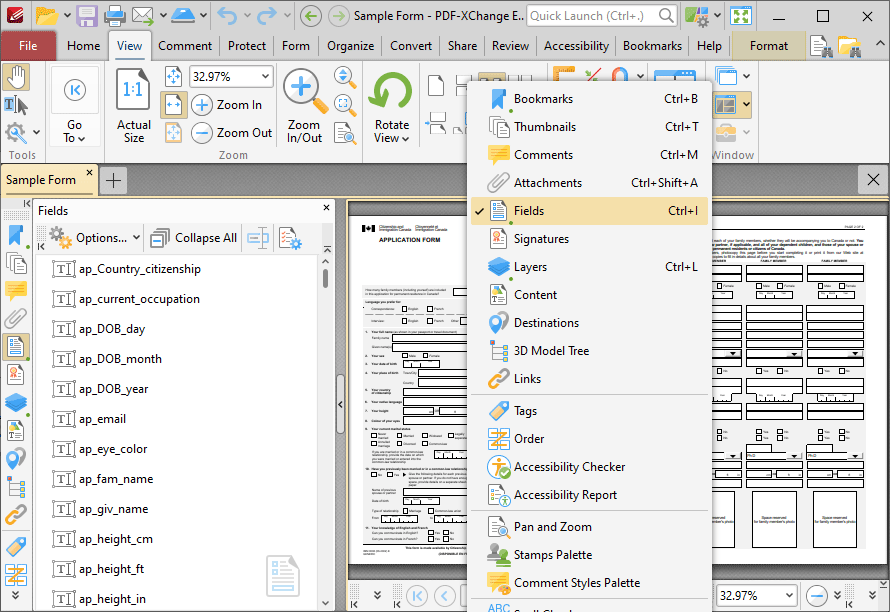
Figure 1. Panes Dropdown Menu, Fields Selected, Fields Pane Open
3. Click Options in the Fields pane.
The Options shortcut menu will open.
4. Click Order by Pages.
5. Click the Form tab, then click Select Fields.
6. Click and drag fields within the Fields pane to reorder them:
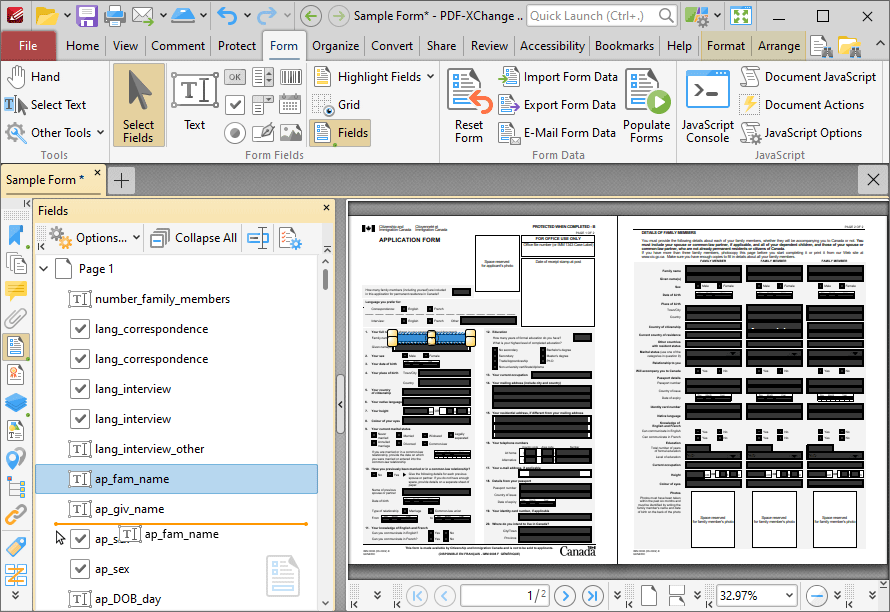
Figure 2. Fields Pane, Reordering Fields