|
<< Click to Display Table of Contents >> Navigation: PDF-XChange Editor Plus V10 User Manual > Tabs Guide > File Tab > Preferences > SharePoint |
When the SharePoint tab is selected the following options are available:
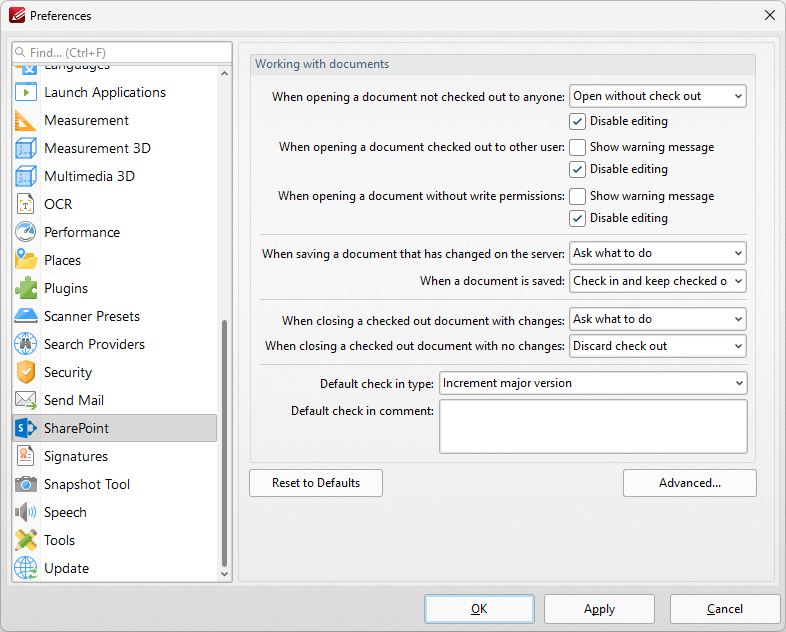
Figure 1. Preferences Dialog Box, SharePoint Tab Selected
•Use the dropdown menus and check boxes to determine parameters as desired.
•Click Advanced to view/edit advanced SharePoint settings:

Figure 2. Advanced SharePoint Preferences Dialog Box
•Select the check box to hide folders in your SharePoint site. You can then edit the list of folders in the text box and add additional folders as desired.
•Use the logging dropdown menus to determine the type of loggin recorded for the SharePoint features, and for how long logs are stored.
Click OK to save changes.