 Signatures Pane
Click Signatures to open the Signatures pane:
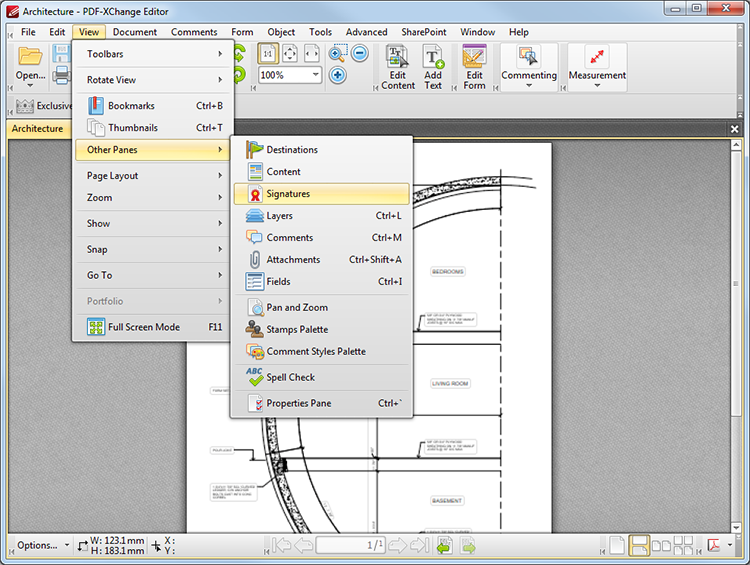
Figure 1. View Tab Submenu. Signatures
The Signatures pane provides information relating to existing document signatures. It appears as below:
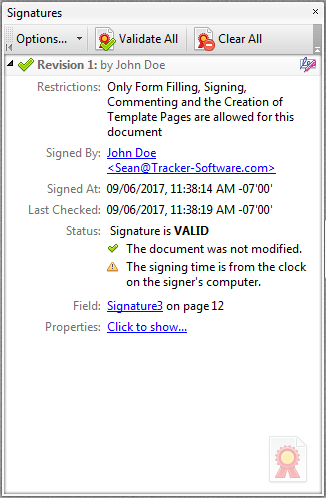
Figure 2. Signatures Pane
•Click underlined entries to view further details/move to the signature location.
•Click Validate All to validate all document signatures.
•Click Clear All to remove all document signatures.
•Click Options to view the signatures options menu:
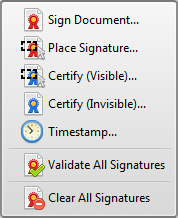
Figure 3. Signatures Options Menu
See here for an explanation of these options.