 TimeStamp Documents
Click Timestamp to add timestamps to documents:
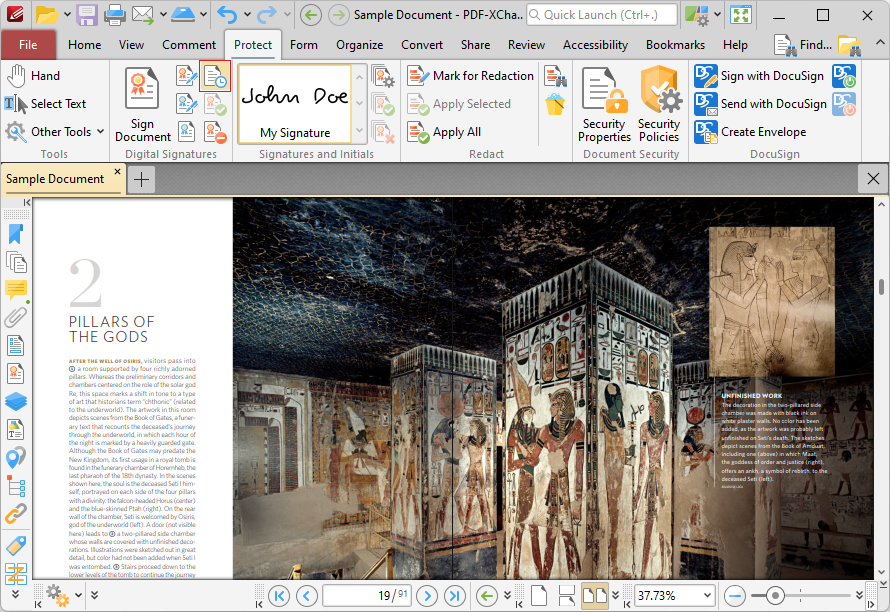
Figure 1. Protect Tab, TimeStamp Documents Highlighted
The Timestamp Server dialog box will open:
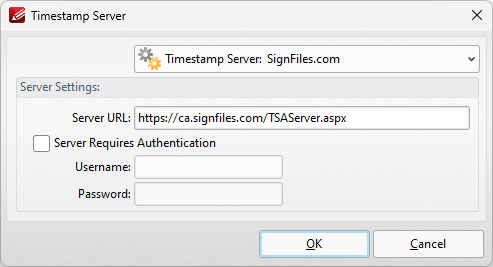
Figure 4. Timestamp Server Dialog Box
Timestamps are used to ensure the long-term preservation of digital signatures, time-seal date objects (to prove when they were received), protect copyrights/intellectual property and provide notarization services.
•Use the Timestamp Server dropdown menu to select a timestamp server.
•If a timestamp server is being used for the first time then enter the website address in the Server URL text box.
•If the selected timestamp server requires authentication then select the indicated box and enter the User Name and Password in the associated text boxes.
Click OK to timestamp documents.