 MS Purview
Microsoft Purview is a data governance, compliance, and risk management platform that helps organizations understand, protect, and manage their data, especially across cloud services, on-prem systems, and apps like Microsoft 365. If you have an MS Purview account you can connect to it via PDF-XChange Editor and avail of some of its features through the user interface. Go to the Protect tab and click Sensitivity to connect to your MS Purview account:
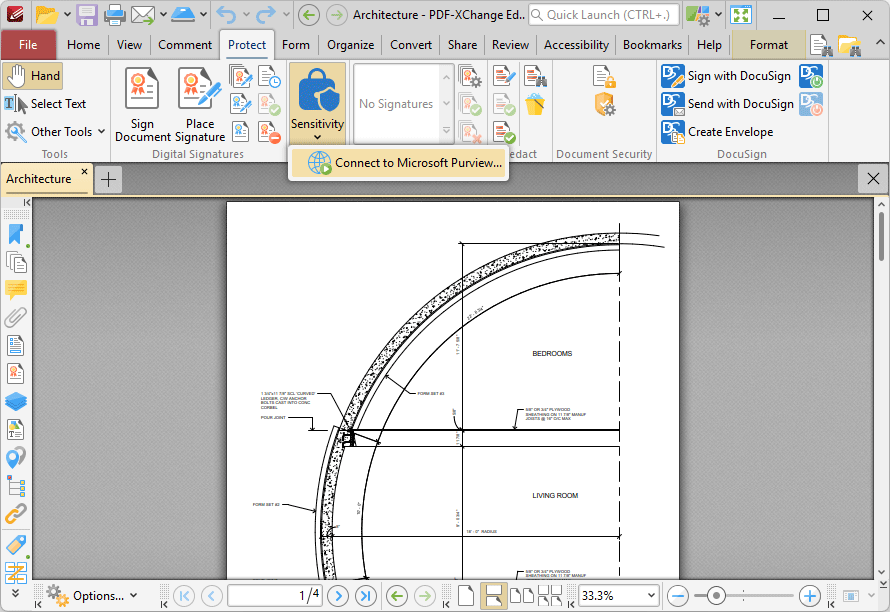
Figure 1. Protect Tab, Sensitivity
The Microsoft Purview Information Protection dialog box will open:
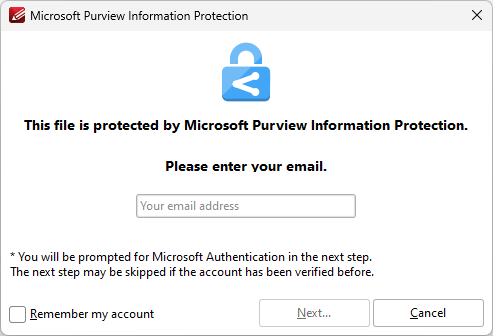
Figure 2. Microsoft Purview Information Protection Dialog Box
Enter your email address in the text box, then click Next to access your Purview Account.
Once you have signed in to your account, the following MS Purview options will be available:
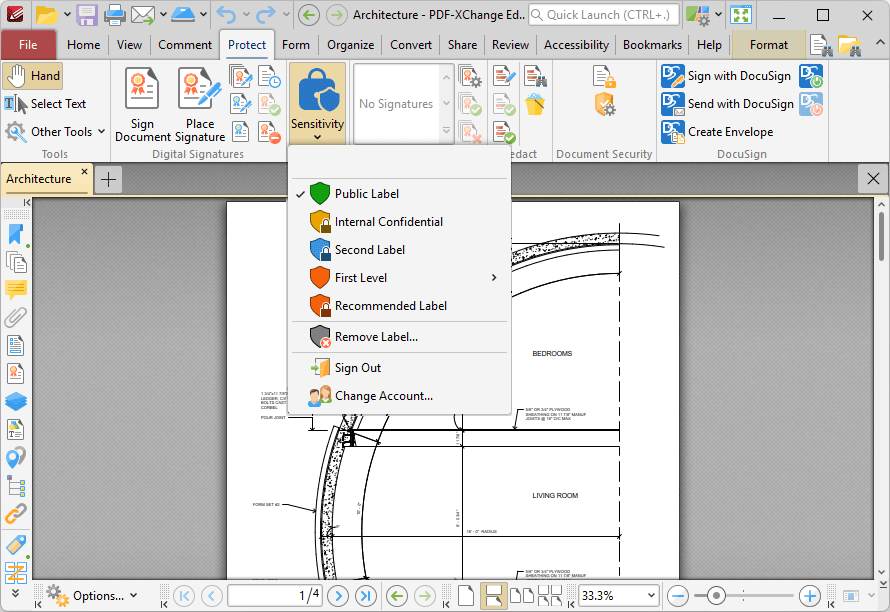
Figure 3. MS Purview Options
You can specify the various available labels on the server side of your MS Purview account. Once they have been specified, simply click them in the dropdown list above to add them to your documents.