 Converting Documents to/from MS Office Formats to PDF
If you want to convert documents from PDF to MS Office formats, then open the document in PDF-XChange Editor and then click the Convert tab:
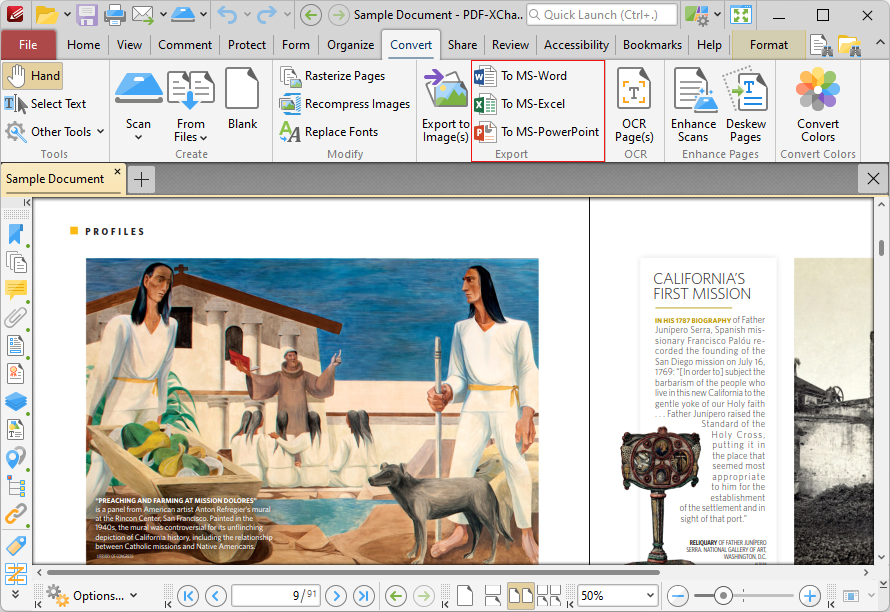
Figure 1. PDF-XChange Editor, Convert Tab
Click To MS-Word, To MS-Excel or To MS Powerpoint as desired. The Save File dialog box will open. Enter a file name for the new document and click Save. The PDF document will then be converted to the desired format.
If you want to convert documents from MS Office formats to PDF, then simply open the document in PDF-XChange Editor and they will convert automatically to PDF.