 Detect Barcodes in Region
Click Detect Barcodes in Region to detect barcodes in selected document regions:
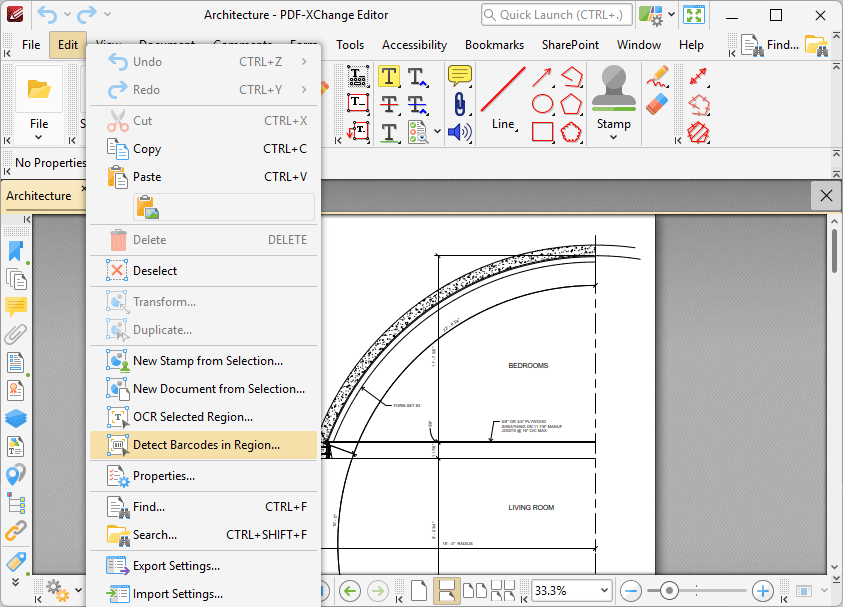
Figure 1. Edit Tab Submenu, Detect Barcodes in Region
Note that this option is only available after the Snapshot Tool has been used to define a page area. PDF-XChange Editor will display a dialog box that details any barcodes located in the region when this option is used.